
Data lifecycle · RCC ClusterDocs
macOS: recognize an existing SSHFS setup
Service status: project Samba shares are ready now. Ardia integration is not yet released. This historical SSHFS page is not a setup guide for either service.
Setting up access now? Skip this page. Follow Account access, SSH, and VS Code and use the RCC connection settings you were given. This page is only for people who already have an SSHFS setup on their Mac and need to identify or replace it.
This type of setup used macFUSE, SSHFS, a jump-host SSH configuration, a local mount directory, and optionally ConnectMeNow.
If you see login.ikim.uk-essen.de or shellhost in a saved configuration, do
not copy those values into a new setup. Ask RCC for the connection settings to
use now.
SSH settings you may find on an existing Mac
Host ikim
    HostName login.ikim.uk-essen.de
    User <RCC-USERNAME>
    IdentityFile ~/.ssh/id_ikim

Host shellhost
    HostName shellhost.ikim.uk-essen.de
    User <RCC-USERNAME>
    IdentityFile ~/.ssh/id_ikim
    ProxyJump ikim
Use Account access, SSH, and VS Code for the current RCC configuration and key policy.
Mount command you may find
Test SSH:
ssh shellhost
Create a mount point:
mkdir -p "$HOME/remote"
Mount the home path shown in the saved setup:
sshfs <RCC-USERNAME>@shellhost:/homes/<RCC-USERNAME> \
  "$HOME/remote" \
  -odefer_permissions,volname=HOMES-DIR
Unmount:
diskutil unmount force "$HOME/remote"
rmdir "$HOME/remote"
Current macFUSE and SSHFS versions may use different security and unmount procedures.
ConnectMeNow settings you may find
- share type: SSHFS;
- server:
shellhost; - path:
/homes/<username>; - ping before mount: disabled;
- mount options similar to:
-o follow_symlinks,defer_permissions,volname=homes-dir
This is retained so existing Mac configurations can be understood and migrated.
Recognize the ConnectMeNow setup
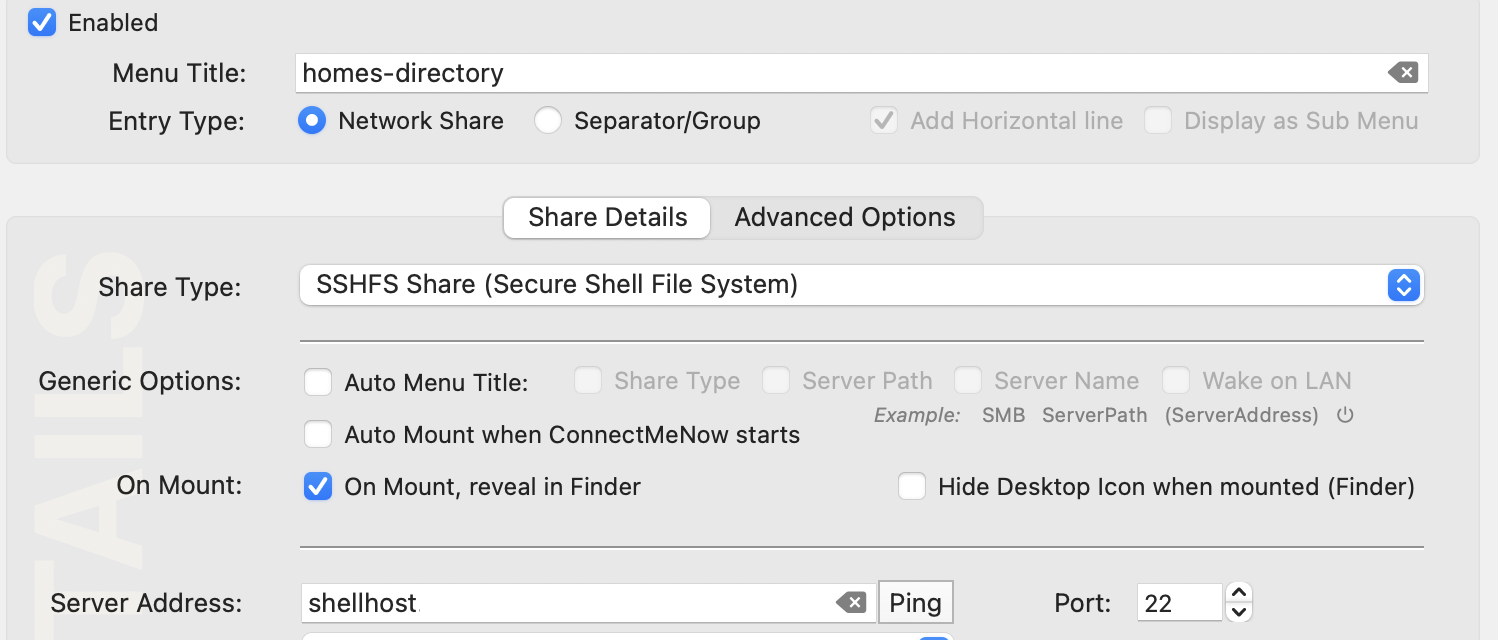
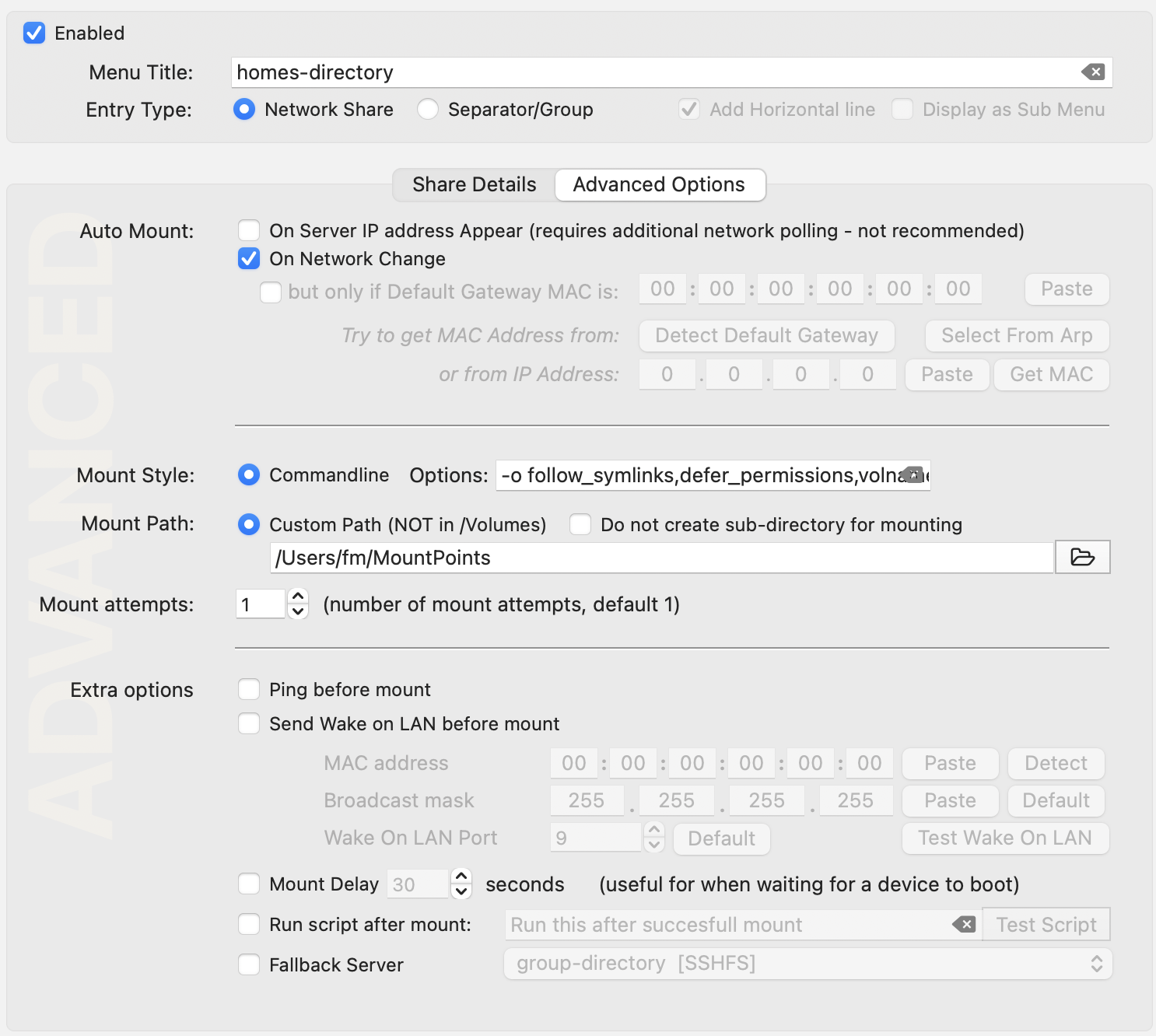
Do not copy values from these screenshots. They help you recognize an existing installation. For a new connection, use the server name, project path, and mount settings supplied by RCC.
The share screen selected SSHFS and pointed ConnectMeNow at the former server alias:
The advanced screen configured command-line mount options and disabled ping before mount:
After configuration, ConnectMeNow appeared as a small network-drive icon in the macOS menu bar:

For a new setup, use the current RCC alias, a project directory rather than an authoritative research dataset in home storage, and manual mount/unmount tests before considering automation.
Appropriate use
Use the mount to inspect a report, edit a small sample sheet, copy a small configuration file, or browse completed results.
Do not use it for complete Illumina runs, active Nanopore output, Ardia data, tiled microscopy acquisitions, analysis, or high-volume random I/O.
Before troubleshooting SSHFS, verify the current RCC SSH path. Never include private keys, passwords, or patient-related filenames in support requests.
Return to Choosing an instrument-data transfer path before selecting a current transfer method.